Laser Cut Universe
EngraveMaster - Ready to Use LightBurn Materials
EngraveMaster - Ready to Use LightBurn Materials
Couldn't load pickup availability
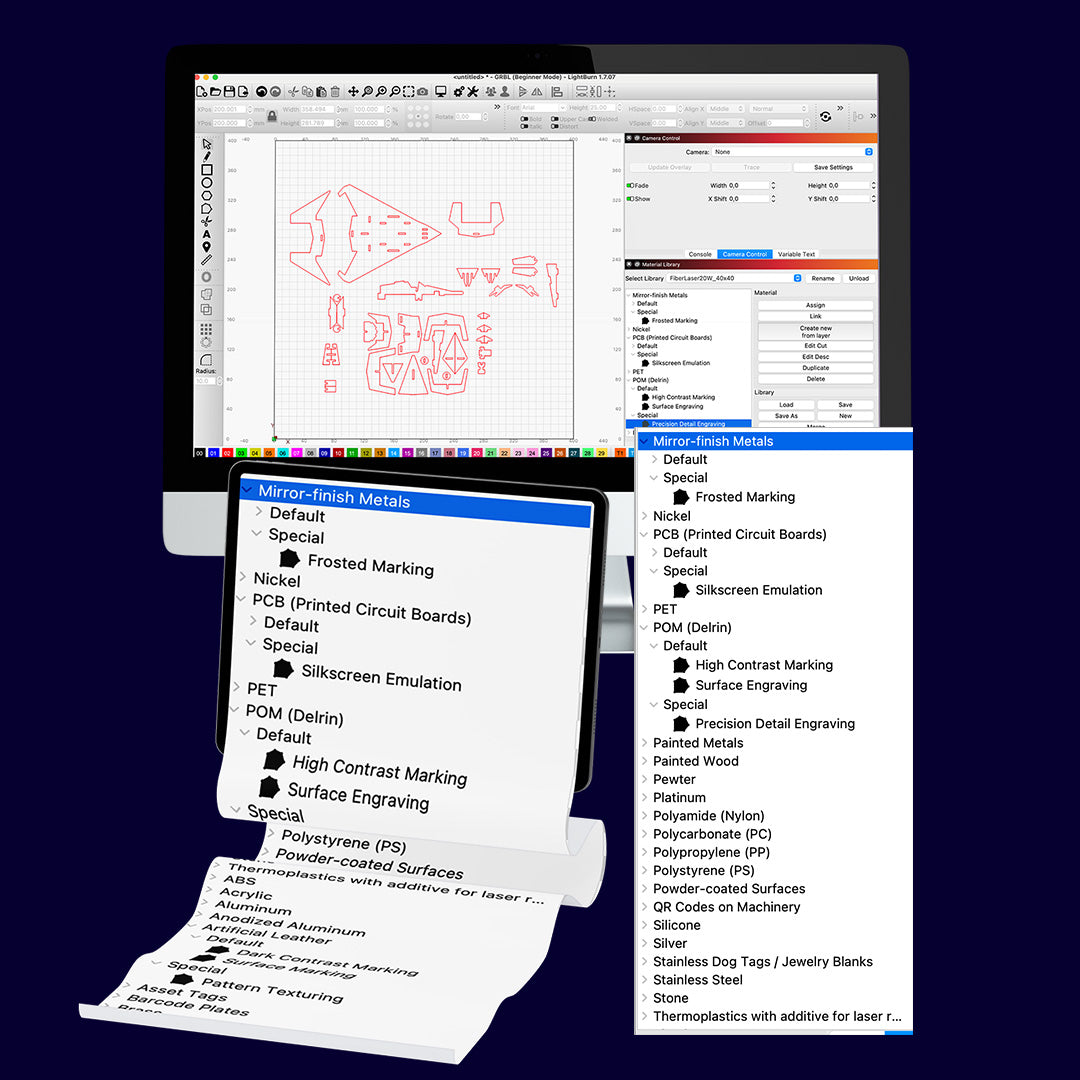
Take the guesswork out of laser engraving with the EngraveMaster Library, a ready-to-use material settings collection designed specifically for LightBurn users working with UV, Fiber, CO₂, and Diode laser machines. Whether you're a professional or a hobbyist, this resource offers a reliable foundation for engraving and cutting across a wide range of materials and machines.
What's Inside
The library includes optimized settings for over 25 safe, tested material types — from wood, acrylic, and leather to metals, slate, glass, and coated surfaces — across 1,001 ready-to-import .clb files covering 600+ machine and lens/field configurations from 168 brands, spanning every major laser type on the market today.
Provided in the standard LightBurn .clb format, each file is organized by laser type, brand, wattage, and (for CO₂ and Fiber machines) optical lens or scan field — so you can go straight to the exact configuration that matches your setup, instead of guessing or manually adjusting generic presets.
Once imported, you'll gain instant access to the full material list for your machine, with settings tailored to real-world configurations: power, speed, passes, kerf, line interval, and all the secondary parameters LightBurn uses internally — not just the basics.
What You Get
-
1,001
.clbfiles, organized into a clean folder structure: Laser Type → Brand → Wattage → Lens/Field (where applicable) - Full parameter sets for every preset — power, speed, passes, kerf, scan interval, bidirectional/crosshatch scanning, overscan, and more
- Safety-screened material list — no PVC, vinyl, fiberglass, or other materials known to release hazardous fumes when lasered
- A detailed README covering installation, the logic behind lens/field variants, and a pre-use safety checklist
- A bonus guide to secret LightBurn hotkeys to help you streamline your workflow and work faster
- A complete file manifest so you can quickly locate the exact configuration for your machine
Why It's Different
Most material libraries online cover a handful of machines with bare-bones power/speed values. EngraveMaster goes further: lens and optical field variants are calculated using real focal-length physics (smaller lens = tighter spot = different power needs), so CO₂ and Fiber users aren't stuck with one-size-fits-all numbers that ignore their actual optics.
A Note on Accuracy
These settings are calculated starting points, built from publicly available manufacturer specifications and known physical scaling relationships between wattage, lens focal length, and material response: not from physical testing on every individual machine listed. Settings for major, well-documented brands carry higher confidence; settings for lesser-known or white-label machines are reasonable estimates derived from the same physics. Always treat every preset as a starting point, not a guarantee.
License
Includes a commercial use license: use the presets freely in your own personal projects and in paid client work.
⚠️ Disclaimer
Use at your own risk. Test on scrap material first, this is absolutely crucial. Start with low power and high speed, and gradually adjust as needed. Test thoroughly. Never leave your laser unattended. Use proper protective equipment and good ventilation at all times. Laser processing is powerful and rewarding, but only when handled with the respect and care it demands.
Share